
Sales short
The agent's clip with project photos shown on the exact spoken words
Watch on YouTubeTurn one phone clip of a sales agent plus the project photos into a 45-75 second vertical short (1080x1920): each photo fills the screen on the exact word that names it, while the voice and karaoke captions keep running.
Important: this is a skill for terminal AI coding agents (Claude Code, Codex) that runs on your own computer. It is not a prompt for the ChatGPT website. Check the requirements below before buying.
How it works
Open your agent and type:
Ghép ảnh dự án vào clip sale.mp4, nói tới đâu hiện ảnh tới đóThe agent asks at most three questions: the project name and which photos you have, a hotline or name for the end (optional), and whether you want a face bubble. Then it:
- Checks the clip and photos and tells you in plain Vietnamese what is wrong, if anything.
- Transcribes the clip and cuts silences, fillers and stutters.
- Places 4 to 6 photos per minute, about 3 seconds each, on the words that name them.
- Runs an ad-claims check on the text on screen and the post caption.
- Renders a small draft for you to preview, then the final MP4.
Basic and Pro
Basic: photos on the spoken words
The sales clip with project photos shown on the spoken words, karaoke captions and a music bed.
Pro: adds a map clip
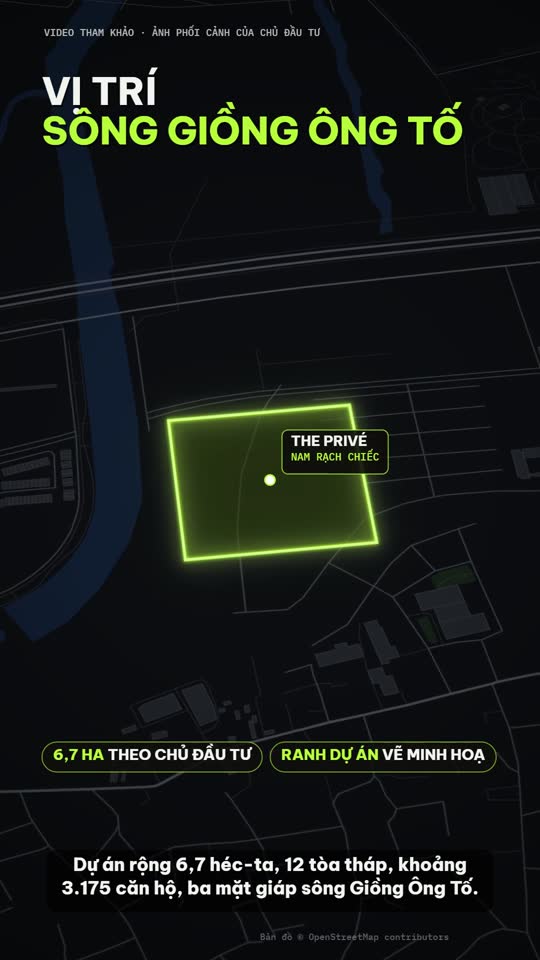
Everything in Basic, plus a 6-10 second map clip with the project pin and routes drawn one by one, labelled with router estimates such as "≈ 12 phút · 5,4 km". You can show up to 3 or 4 places. The map clip needs Node.js 18 or newer and HyperFrames. The map clip uses a plain background by default: routes and the project pin only, an OpenStreetMap credit and no licence needed. If your own tiles are Esri World Imagery, do not publish or sell that video; use tiles you may use, with their credit.
The map clip needs route data for each place. That data is prepared by hand, or by the agent from OpenStreetMap data; without it the agent skips the map and tells you.
Built-in safeguards
- The skill requires everything on screen to be said by the presenter or supplied by you: price, policy, area, distance and time included.
- If you have fewer than 4 usable photos, the agent can search the developer's site and the press, but only after asking, and no web photo enters the video before you approve it in a gallery page.
What you get
- A vertical MP4 at -14 LUFS, plus a short report: which photo appears at which second, where each web photo came from, and what was cut.
What you need
- Claude Code or Codex CLI.
- Python and ffmpeg.
- A Soniox key for speech-to-text (ElevenLabs Scribe also works).
- Pro only: Node.js 18 or newer and HyperFrames for the map clip.
Install
Copy the folder of your edition into your skills folder:
~/.claude/skills/talkinghead-realestate-fast/        (Basic)
~/.claude/skills/talkinghead-realestate-fast-pro/    (Pro)
For Codex, use ~/.agents/skills/<folder>/.
Not a fit if you want
- Colour grading, keyword effects or a cutout of the presenter.
Frequently asked questions
Does a clean ad-claims check make my ad legal?
No. It catches common banned claims, but you are still responsible for what you post.
Can I use the videos commercially?
Videos you render are yours for any commercial use. You may not resell, redistribute or share the skill files.
More looks from Real Estate Promo
Full set: Real Estate Promo
2 looks
 Included in ReelCrew
Infrastructure route
Metro and highway routes on a satellite map
 Included in ReelCrew
Location map
Project photos plus an OSM location map, routes and amenities

Project tour
A full project introduction from the agent's clip, in 6 beats
 Included in ReelCrew
Trip listing
An apartment plus one trip to a destination on the map
Start with one look, step up when you need more
Related looks

App launch studio
An app launch: a question plus a demo on a 3D laptop

Farm market
Sell farm produce and local specialties from phone photos

Keynote launch
A keynote-style launch with frosted-glass cards on indigo
Product demo
A feature short from real demo footage plus 1-3 claims

Product promo
A shop's product range cut to the beat of the music

Site launch
A website launch with a magazine-style interior theme