
Keynote launch
A keynote-style launch with frosted-glass cards on indigo
Turn a product description, release notes, a changelog or repo docs into a calm, premium launch video of 30-120 seconds (1920x1080), with an AI voice and karaoke captions.
Important: this is a skill for terminal AI coding agents (Claude Code, Codex) that runs on your own computer. It is not a prompt for the ChatGPT website. Check the requirements below before buying.
What it makes
Dark indigo space, drifting orbs in your brand colours, frosted glass cards, heavy titles with an italic serif accent in the brand gradient. The video has 6-12 scenes that cut on the music's beats, and every reveal lands on a spoken word. One big statement sits on the music drop, then an outro closes.
The voice is English by default, with Vietnamese as an option, and the captions follow the same language. Music is generated electro-pop with sound effects, and the final mix is checked at -14 LUFS. Default length is 45-90 seconds. Besides 16:9, the look also lists a 1:1 format.
How it works
Open your agent next to your release notes and ask, for example:
Make a keynote-style launch video from CHANGELOG.md, 60 secondsThe agent:
- Reads the source and writes
data/facts.md, one line per claim with where it came from. From a raw commit list it keeps the 5-8 changes a user would care about. - Writes the script (
data/script.json) and the storyboard, anchoring each reveal to a word the scene says. - Runs the pipeline: voice in one take, word timing, sound effects and music, beat grid, mix, contact sheet.
- Lets you review the contact sheet, then renders and reports the checks (1920x1080, 30 fps, loudness, no black frames).
Only facts from your source reach the screen or the voice. No invented numbers; a stats scene with no real numbers is skipped.
What you get
- The skill folder with its scripts, theme and storyboard scene types.
- Voice, timing, music, mixing and render steps already wired together.
- Review gates for on-screen text and frames, plus a cover-image step.
What you need
- Claude Code or Codex, with Node.js and Python (the steps run as
nodeandpythonscripts). - multix, a
GEMINI_API_KEYfor the English voice and anELEVENLABS_API_KEYfor music and sound effects. ASONIOX_API_KEYis optional; timing runs locally without it. - For a Vietnamese voice, a one-time
python <skill>/scripts/setup-vieneu.py.
Install and make your first video
Copy the skill folder into your skills folder:
~/.claude/skills/agentvid-motion-keynote-launch-16x9/For Codex, use ~/.agents/skills/agentvid-motion-keynote-launch-16x9/. Then open the agent in your project and type a request like the one above. You can pass your own brand.json; otherwise the default brand is used.
Who it is for
A calm, premium keynote-style launch video for a product or a release.
Not a fit if you want
- A playful or loud promo.
- A beginner how-it-works explainer.
- A vertical video for social feeds.
Frequently asked questions
Will it make up features to fill the video?
The skill requires every on-screen claim to trace to data/facts.md, which is built from your source. Still read the video before you post.
Can I make it in Vietnamese?
Yes. Set the language to vi; voice and captions switch together after the one-time Vietnamese voice setup.
Can I use the videos commercially?
Videos you render are yours for any commercial use. You may not resell, redistribute or share the skill files.
More looks from App Promo


Start with one look, step up when you need more
Related looks

Farm market
Sell farm produce and local specialties from phone photos

Product promo
A shop's product range cut to the beat of the music

Project tour
A full project introduction from the agent's clip, in 6 beats

Sales short
The agent's clip with project photos shown on the exact spoken words
 Included in ReelCrew
Infrastructure route
Metro and highway routes on a satellite map
 Included in ReelCrew
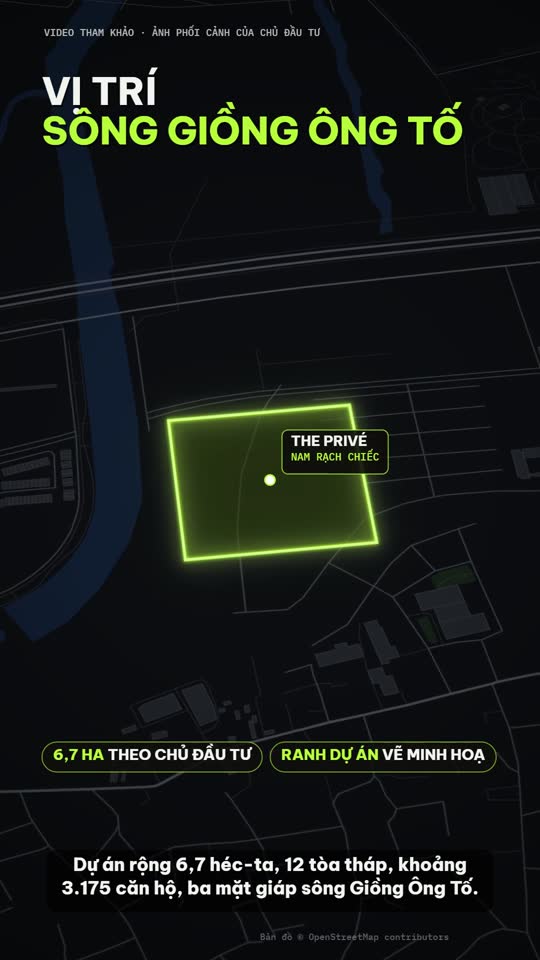
Location map
Project photos plus an OSM location map, routes and amenities
 Included in ReelCrew
Trip listing
An apartment plus one trip to a destination on the map