
Product demo
A feature short from real demo footage plus 1-3 claims
Turn your own product-demo footage and one to three feature claims into a reviewed vertical feature short (1080x1920, 30 fps).
Important: this is a skill for terminal AI coding agents (Claude Code, Codex) that runs on your own computer. It is not a prompt for the ChatGPT website. Check the requirements below before buying.
What it makes
You recorded your product doing something. You want a short that shows each claim with the moment in the footage that proves it, and nothing you cannot prove. This look is built for that.
- Each claim you supply is shown with evidence recorded from your footage.
- Music or a voice-over is optional, from files you provide.
How it works
Prepare a features.json with one to three claims, keep the demo video on your computer, and ask your agent, for example:
Make a feature short from demo.mp4 with the claims in features.jsonA bundled editor does the work: ingest, analysis, planning, compiling, proof, rendering and verification. The agent runs it step by step and stops for you at each gate:
- Before ingest, it checks the footage for QR or payment codes, bank details, customer names, phone numbers, e-mails and chat screens, and blurs them.
- If the plan cannot match a claim to evidence, it stops and asks you to pick the real feature and evidence. It does not pick unsupported evidence for you.
- It builds a review page (
review/review.html) for you to inspect evidence, claims, crops, graphics and audio. - It records your review only after you confirm it, then asks separately before approving delivery and again before the final render.
- It reports the final file only when final verification passes.
What you get
- The skill and a bundled editor template, copied into a workspace you choose.
- A review page and verification gates tied to the exact inputs: change an input and the affected gates run again.
- A redaction step for sensitive information in the footage.
What you need
- Claude Code or Codex.
- Node.js 22 or newer, FFmpeg and ffprobe. The agent checks them with
node --version,ffmpeg -versionandffprobe -version. - No API key or credentials. Everything runs locally: footage, frames and outputs are not uploaded, and there are no model or cloud calls.
Install and make your first video
Copy the skill folder into your skills folder:
~/.claude/skills/product-feature-highlight-editor/For Codex, use ~/.agents/skills/product-feature-highlight-editor/. On the first run the agent copies the editor into a folder you pick and runs npm ci there. Then give it your footage and features.json.
Who it is for
Turning local product-demo footage and one to three of your own feature claims into one reviewed feature short.
Not a fit if you want
- General-purpose video editing.
- Claims you did not supply, or claims the footage cannot show.
Frequently asked questions
Can the agent write the claims for me?
The claims come from you, and the evidence comes from your footage. The skill does not let the agent supply a claim, observation, approval or verification result by itself. Still read the video before you post.
Does the preview count as the final video?
No. A preview is a draft that is not for delivery, and even a final render is not permission to publish. You decide when to post.
Can I use the videos commercially?
Videos you render are yours for any commercial use. You may not resell, redistribute or share the skill files.
More looks from App Promo


Start with one look, step up when you need more
Related looks

Farm market
Sell farm produce and local specialties from phone photos

Product promo
A shop's product range cut to the beat of the music

Project tour
A full project introduction from the agent's clip, in 6 beats

Sales short
The agent's clip with project photos shown on the exact spoken words
 Included in ReelCrew
Infrastructure route
Metro and highway routes on a satellite map
 Included in ReelCrew
Location map
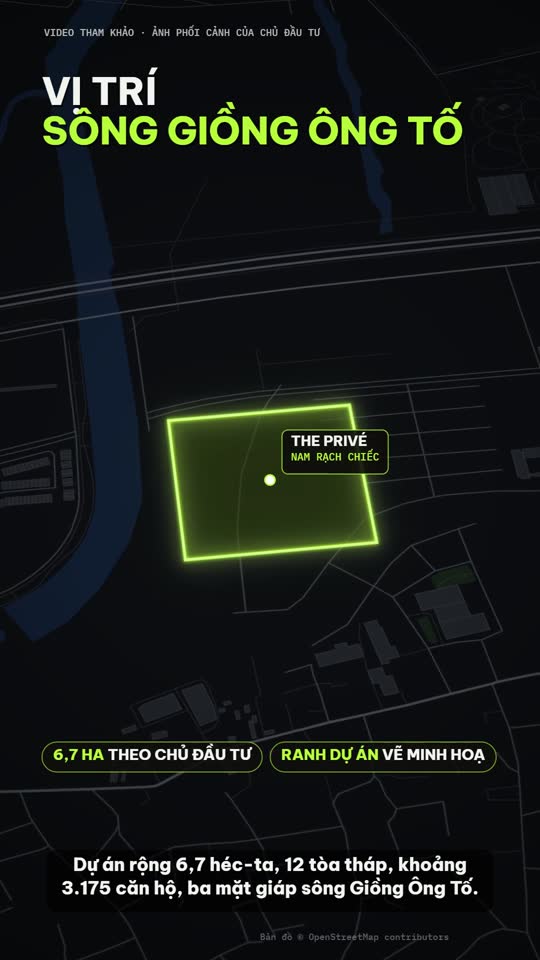
Project photos plus an OSM location map, routes and amenities
 Included in ReelCrew
Trip listing
An apartment plus one trip to a destination on the map