
Subtitles & Captions: all looks
Subtitles & Captions
All three caption looks in one set: karaoke captions on a vertical 9:16 short, calm two-line phrase captions on a long clean version, and an SRT file, all cut from one recording of a person talking, in Vietnamese or English.
Important: these are skills for terminal AI coding agents (Claude Code, Codex) that run on your own computer. They are not prompts for the ChatGPT website. Check the requirements of each look before buying.
Why the full set
All three looks run the same Fast cut pipeline (Video Editing skill) and differ in the output. With the set you pick the output per recording instead of buying again.
What is in the set
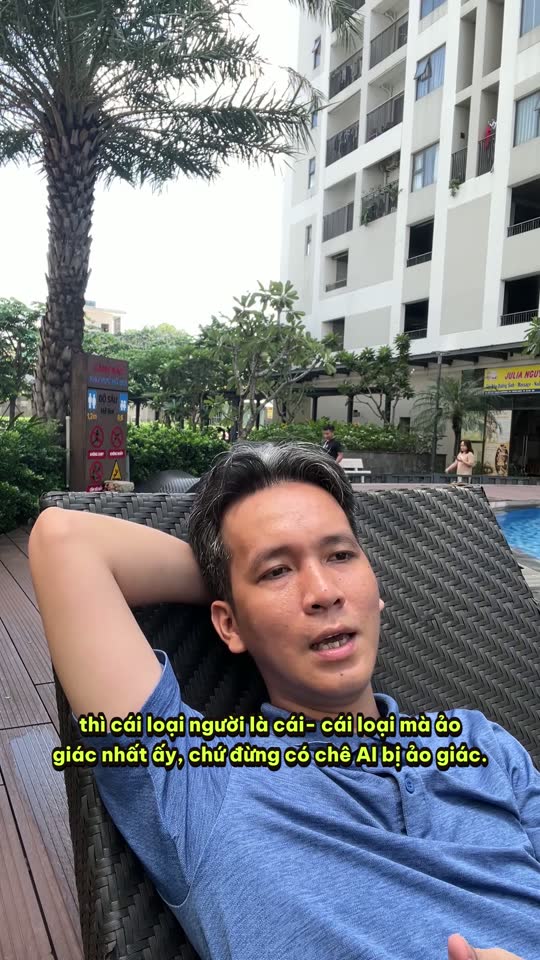
- Karaoke: a 9:16 short cropped around the speaker's head, with karaoke captions where each word lights up as it is spoken, and a hook title on the first frame.
- Phrase: the long clean version, original frame kept, with captions burned in as lime-yellow phrases on two balanced lines.
- SRT: the long clean version with an SRT file next to it, and no captions burned into the picture unless you ask.
In all three the agent transcribes the speech and cuts silences, Vietnamese fillers (à, ờ, ừm), stutters and restarted phrases at the level you pick: light, medium or strong. So the video you get is shorter than the recording, and the set is not a way to add captions while changing nothing else. There are no ReelCrew-only caption looks: the set has every look of this skill.
The set includes every edition of every look: Basic and Pro where a look has both.
Example prompts
Thêm phụ đề karaoke từng chữ cho video talk.mp4
Thêm phụ đề theo cụm, 2 dòng, cho video bai-giang.mp4
Xuất file phụ đề SRT cho video webinar.mp4
What you need
- Python 3.10 or newer and ffmpeg. A GPU encoder is optional: without it ffmpeg uses libx264, which is slower.
- A speech-to-text key: Soniox, or ElevenLabs Scribe.
- For Karaoke shorts only: a small Python environment with opencv-python-headless and numpy, and a Chromium-family browser such as Edge or Chrome.
Who it is for
People with recordings of one person talking (talking-head clips, lectures, vlogs, podcasts) who want a choice of output.
Not a fit if you want
- Captions on a video while changing nothing else.
- A faceless or voice-over video, or designed motion graphics.
Frequently asked questions
Are the captions always correct?
Nothing is guaranteed. The agent follows the speech, and names and terms you give it help, but unclear speech or unusual jargon can still be misheard. Read the captions before you post, especially names and numbers.
Can I buy one look on its own?
Yes. Karaoke, Phrase and SRT each have their own listing. The price of the set is shown beside this description.
Can I use the videos commercially?
Videos and files you render are yours for any commercial use. You may not resell, redistribute or share the skill files.


Start with one look, step up when you need more
Related looks

Collage
The speaker as a paper cutout, with text slamming in on each word

Diagram
A line diagram growing beside the speaker's face bubble

Edited short
A carefully edited short: grade, captions or keywords, title behind the head

Fast cut
Quick cut of ums and silences into a 9:16 short

Long clean
A clean long version that keeps the original frame, plus an SRT
 Included in ReelCrew
Highlight
A highlight short with motion-fx design