
Ink paper
A pencil notebook, a robot mascot and a wooden board
Watch on YouTubeTurn a product description, release notes, a changelog, repo docs or a URL into a friendly pencil-notebook explainer, widescreen (1920x1080) or vertical (1080x1920).
Important: this is a skill for terminal AI coding agents (Claude Code, Codex) that runs on your own computer. It is not a prompt for the ChatGPT website. Check the requirements below before buying.
Why this look
This look explains a product to viewers who are not technical: a pencil robot on parchment, titles on wooden planks, and pencil strokes that write in as the voice says each word. Scenes cut on the beats of a lo-fi acoustic track.
Two formats
- 16:9 (1920x1080): 30-90 seconds (default 40-75), 6 to 9 scenes, for a widescreen.
- 9:16 (1080x1920): 25-60 seconds (default 30-50), 5 to 8 short scenes, for Reels, TikTok or Shorts. Plank title on top, one card in the middle, the robot bottom-left above the captions, everything inside the safe area.
Each format is its own skill folder.
The story of the video
- The problem.
- How it works.
- Before and after.
- The key promise.
- What you control.
- Outro.
How it works
Open your agent and type a request like this:
Make a 9:16 explainer video from the release notes in CHANGELOG.mdThe agent keeps the changes a user would care about (4 to 8 of them, depending on the format), writes one fact per line with its source, writes a plain-word script, generates the voice-over in one take, adds music and sound effects, then renders with HyperFrames and checks the file: size, 30 fps, -14 LUFS, music 4-6 dB under the voice. Two review gates before render need approval from another model, a subagent or a person.
What you get
- Two skill folders, one per format, with project templates and the render and check scripts.
- Per video: the MP4, a cover PNG and a copy of the video with the cover on its first frames.
What you need
- Claude Code or Codex.
- Node.js 20 or newer, ffmpeg and ffprobe, ImageMagick 7, Python 3.10 or newer with numpy and scipy, and multix (
npm install -g @mrgoonie/multix). GEMINI_API_KEY(default English voice) andELEVENLABS_API_KEY(sound effects and music).SONIOX_API_KEYis optional.- Vietnamese voice: free and local, installed once with
python scripts/setup-vieneu.py(about 1.1 GB, runs on CPU).
Install
Copy the folder for each format you want into:
~/.claude/skills/agentvid-motion-ink-paper-16x9/
~/.claude/skills/agentvid-motion-ink-paper-9x16/
For Codex, use ~/.agents/skills/<folder>/.
Who it is for
A friendly explainer of a product for non-technical viewers.
Not a fit if you want
- A loud promo or a premium keynote-style launch.
- To edit real footage or make a sourced documentary.
Frequently asked questions
Which languages does it support?
English by default, with English voice and captions. Vietnamese is available too.
Can I use my own brand?
Yes. The default brand is AgentVid; pass your own brand.json with name, colours and transparent PNG logos.
Can I use the videos commercially?
Videos you render are yours for any commercial use. You may not resell, redistribute or share the skill files.
More looks from Animated Explainer
Full set: Animated Explainer
14 looks

Agent diagram
One AI concept on a living node diagram
AI for Business Explainer
Explain AI agents to business owners in a 60-90 s vertical video

Big canvas mind map
A big hand-drawn mind map with the camera following each branch
 Included in ReelCrew
Cinematic explainer
A cinematic science explainer of about 30 seconds
E-commerce & Retail Explainer
Selling online, profit per order and shop tips as vertical explainers
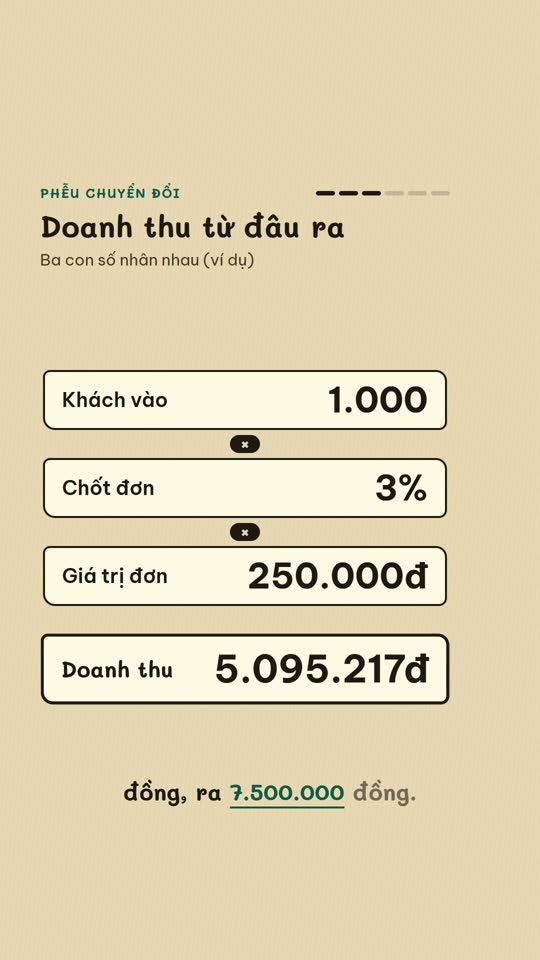
E-commerce diagram
An online-selling concept on a single diagram board
English Learning Explainer
Short English lessons built from common mistakes
Start with one look, step up when you need more
Related looks

English listening
English listening practice: reader, vocab, guess and joke formats

Excel setting
One Excel setting, with a cursor clicking through each value
Sourced clip short
A multi-scene short with source clips and an on-screen credit
 Included in ReelCrew
Archival documentary
An 8-10 minute documentary built from archive material
 Included in ReelCrew
Engraved plate
An antique engraving film for philosophy and history
 Included in ReelCrew
Hand-drawn lesson
A 3-4 minute hand-drawn animated lesson from a talk
 Included in ReelCrew
News photo short
Breaking news told with press photos and a female news anchor voice
 Included in ReelCrew
Paper 3Blue1Brown
Explain a paper 3Blue1Brown style, with formulas built to the narration