
AI for Business Explainer
Explain AI agents to business owners in a 60-90 s vertical video

Show a non-technical business owner how an AI agent takes over one manual process, in a 60-90 second vertical video (1080x1920) made from a single prompt.
Important: this is a skill for terminal AI coding agents (Claude Code, Codex) that runs on your own computer. It is not a prompt for the ChatGPT website. Check the requirements below before buying.
What it makes
You describe one process that is still done by hand (what is done and how often), such as answering the inbox or making reports. The agent turns it into a video of 6 to 7 scenes with a pencil-sketched robot and not one technical word on screen. If you give real numbers, the video uses them; otherwise every number is labelled as an example.
The story is fixed:
- A day eaten by manual work.
- Before and after.
- The agent's 3 steps.
- A sample chat.
- What it saves.
- An everyday analogy.
- Where to start, and the closing.
The scenes are built from blocks such as a day timeline, before/after, a 3-step flow, a chat, a stat, an analogy, a checklist, a load meter and a delegate split.
How it works
Open your agent in an empty folder and type a request like this:
Làm video: AI agent nhắc công nợ và đối soát hoá đơn cho công ty phân phối nhỏ(In English: an AI agent that chases unpaid invoices and reconciles bills for a small distributor.) The agent researches the topic, writes the script, builds the scenes, checks them and renders an MP4 into the project folder. With Pro it also generates the voice-over. If you do not name a language, the agent follows the language of your source, or of your prompt.
Basic and Pro
Basic: music only, with on-screen text
Text and pictures appear on the beat, each scene long enough to read, over a light lo-fi track. No voice, no captions, no API key. A video takes about 6-8 minutes.
Pro: voice-over with karaoke captions
Adds a Vietnamese or English voice-over with captions that follow the voice. The voice runs free on your computer (VieNeu-TTS for Vietnamese, default voice Hải Đăng; Kokoro for English): no API key, no per-use fees, no graphics card. A video takes about 10 minutes including render. Pro can also make a music-only version.
Pro needs a one-time voice setup and about 1.2 GB of disk space. You can switch to another of the 25 Vietnamese voices, or use ElevenLabs with your own key.
What you need
- Claude Code or Codex CLI. You can give instructions in Vietnamese or English.
- Node.js 18 or newer, Python 3.10 or newer, and ffmpeg (Windows:
winget install Gyan.FFmpeg; macOS:brew install ffmpeg). - Pro only: about 1.2 GB of disk space for the voice, downloaded once.
- Optional: a Key4u key (extra artwork in the same style, Suno music) and, for Pro, an ElevenLabs key.
Install and make your first video
Unzip the package and copy the folder for your edition into your skills folder:
~/.claude/skills/explainer-ai-for-business-music/    (Basic)
~/.claude/skills/explainer-ai-for-business-voice/    (Pro)
To install for one project only, use <project>/.claude/skills/ instead. For Codex, use ~/.agents/skills/<folder>/ and start a new Codex session.
Pro only, once per computer (2 to 5 minutes): open Claude Code or Codex and type:
Cài giọng đọc cho skill explainer-ai-for-business-voice giúp tôiThe agent runs python scripts/setup-voice.py, creates its own Python environment in ~/.agentvid/vieneu-env and downloads the voice model (about 600 MB). Deleting ~/.agentvid/ removes everything.
Then your first video: type the request from "How it works". To test without writing anything, ask the agent to make a video from the sample script.
Who it is for
People who sell AI solutions or advise on digital transformation and need to show a business owner one process an agent can take over.
Not a fit if you want
- To explain an AI concept from scratch, or give a technical talk for developers.
- To promise results, or show real brand and product names.
- To edit real footage or make a sourced documentary.
Frequently asked questions
Are the savings in the video real?
Only if you provide real numbers. Otherwise they are labelled as examples, and the video makes no promise of results.
What language are the videos in?
Vietnamese or English.
Can I use the videos commercially?
Videos you render are yours for any commercial use. You may not resell, redistribute or share the skill files.
More looks from Animated Explainer
Full set: Animated Explainer
14 looks

Agent diagram
One AI concept on a living node diagram

Big canvas mind map
A big hand-drawn mind map with the camera following each branch
 Included in ReelCrew
Cinematic explainer
A cinematic science explainer of about 30 seconds
E-commerce & Retail Explainer
Selling online, profit per order and shop tips as vertical explainers
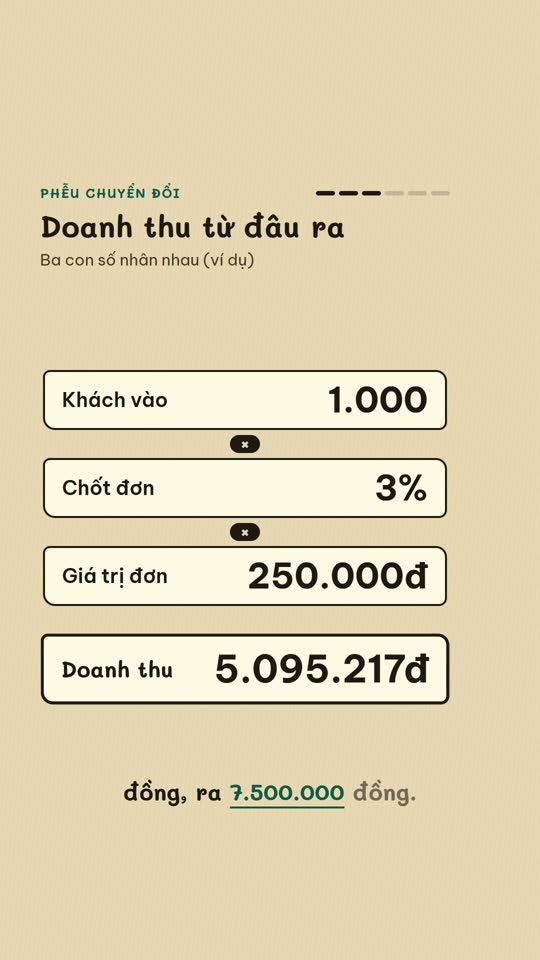
E-commerce diagram
An online-selling concept on a single diagram board
English Learning Explainer
Short English lessons built from common mistakes

Ink paper
A pencil notebook, a robot mascot and a wooden board
Start with one look, step up when you need more
Related looks

English listening
English listening practice: reader, vocab, guess and joke formats

Excel setting
One Excel setting, with a cursor clicking through each value
Sourced clip short
A multi-scene short with source clips and an on-screen credit
 Included in ReelCrew
Archival documentary
An 8-10 minute documentary built from archive material
 Included in ReelCrew
Engraved plate
An antique engraving film for philosophy and history
 Included in ReelCrew
Hand-drawn lesson
A 3-4 minute hand-drawn animated lesson from a talk
 Included in ReelCrew
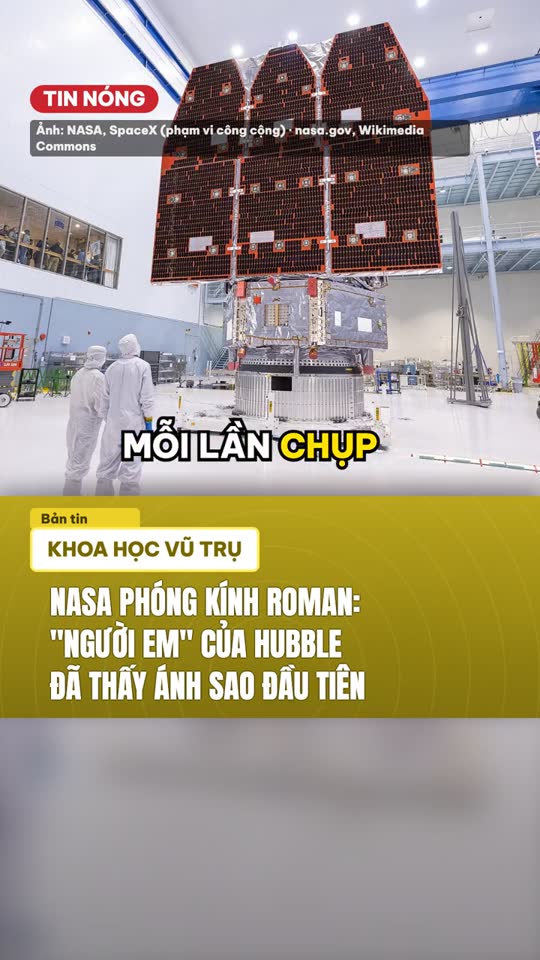
News photo short
Breaking news told with press photos and a female news anchor voice
 Included in ReelCrew
Paper 3Blue1Brown
Explain a paper 3Blue1Brown style, with formulas built to the narration