
Sourced clip short
A multi-scene short with source clips and an on-screen credit
Make a 30-60 second vertical commentary short (1080x1920) on something the viewer can see: designed cards plus outside clips, screen recordings, X posts or photos, each with an on-screen credit line.
Important: this is a skill for terminal AI coding agents (Claude Code, Codex) that runs on your own computer. It is not a prompt for the ChatGPT website. Check the requirements below before buying.
What it makes
Some scenes are cards you design. Some are clips or stills from outside, and those always carry a credit line ("Nguồn: ..." in Vietnamese, "Source: ..." in English) drawn above the caption. One end card closes. A short usually has 5-8 scenes, often about seven.
- Voice: Vietnamese uses the local VieNeu voice Thanh Bình. English uses ElevenLabs, with Liam by default and Matilda when the script names it.
- Captions: burned in with Be Vietnam Pro Bold, plus an
.srtof the same lines next to the MP4. - Audio: a music bed that ducks under the voice, delivered at -14 LUFS.
- Blur: rectangles over figures you must not show (a dashboard, a price, a view count) and over QR codes or personal data in a clip.
There is no AI video. Stills and clips are supplied or downloaded; the only generated pixels are the caption cards.
How it works
Tell your agent the subject and where each outside clip comes from, for example:
Làm short 45 giây bình luận bài đăng này trên X, ghi nguồn tác giả: <link>The agent writes script.json, checks it, downloads any clip with a source URL, scans every inserted clip for QR codes and personal data, generates the voice-over, renders (blur, captions, ducked bed, loudness) and runs a final check. It asks at most three things: the subject and clip sources, whether a frame holds a figure to hide, and a music file if you do not want the bundled bed.
What you get
- The skill folder with its scripts, the bundled music bed and an example project.
- Output in
renders/<slug>-9x16.mp4andrenders/<slug>-9x16.srt.
What you need
- Claude Code or Codex.
- ffmpeg on PATH, Python 3.10 or newer and Pillow (
pip install pillow). - For the Vietnamese voice:
reelcrewon PATH, or the VieNeu environment set up once withscripts/setup-vieneu.py. - For an English voice: an ElevenLabs API key.
Install and make your first video
Copy the skill folder into your skills folder:
~/.claude/skills/sourced-clip-short/For Codex, use ~/.agents/skills/sourced-clip-short/. Then open the agent in a project folder and describe your short.
Who it is for
A short vertical commentary on something the viewer can see: designed cards plus an outside clip, screen recording, X post or photo with a credit line.
Not a fit if you want
- A 60-90 second sketched explainer.
- A talking-head cut.
- To use a picture without a credit or permission.
Frequently asked questions
Do I need permission for the clips I insert?
Yes. Each outside clip needs a credit and a record of the permission or licence to use it. The example placeholder text is rejected by the validator, so you have to replace it with the real grant.
Can the credit line be cropped off?
No. The credit is drawn on every outside clip or still and stays in the frame.
Can I use the videos commercially?
Videos you render are yours for any commercial use. You may not resell, redistribute or share the skill files. Rights to outside clips stay your responsibility.
More looks from Article to Video
 Included in ReelCrew
Archival documentary
An 8-10 minute documentary built from archive material
 Included in ReelCrew
Engraved plate
An antique engraving film for philosophy and history
 Included in ReelCrew
News photo short
Breaking news told with press photos and a female news anchor voice
 Included in ReelCrew
Paper 3Blue1Brown
Explain a paper 3Blue1Brown style, with formulas built to the narration
 Included in ReelCrew
Paper walkthrough
Walk through a paper section by section on cream paper, diagrams built step by step
 Included in ReelCrew
Vox collage
A Vox-style paper-cutout news feature
Start with one look, step up when you need more
Related looks

Agent diagram
One AI concept on a living node diagram
AI for Business Explainer
Explain AI agents to business owners in a 60-90 s vertical video

Big canvas mind map
A big hand-drawn mind map with the camera following each branch
E-commerce & Retail Explainer
Selling online, profit per order and shop tips as vertical explainers
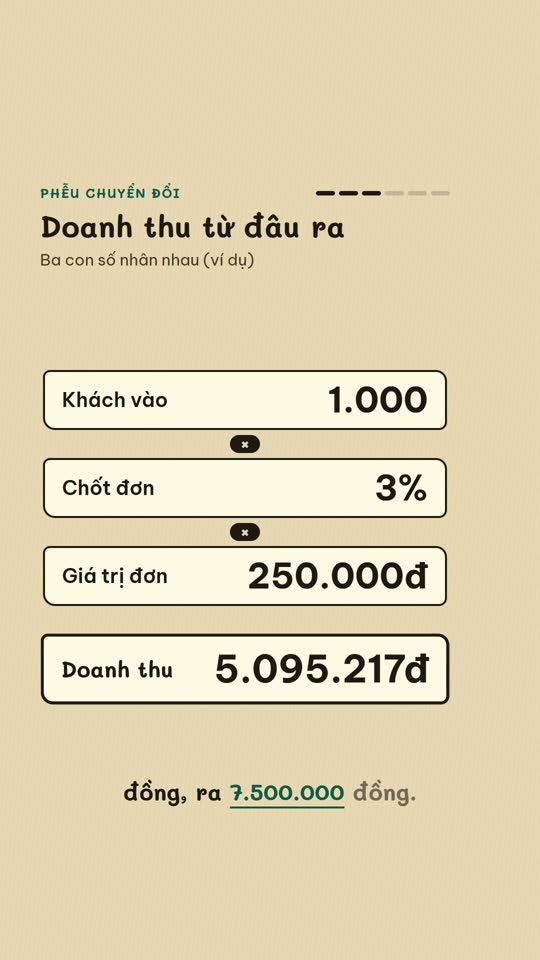
E-commerce diagram
An online-selling concept on a single diagram board
English Learning Explainer
Short English lessons built from common mistakes

English listening
English listening practice: reader, vocab, guess and joke formats

Excel setting
One Excel setting, with a cursor clicking through each value